AI Audio
Should You Turn Your Newsletter Into Audio?
Newsletters compete for the same five minutes as everything else in someone’s inbox, and increasingly that five minutes happens on a commute, in a gym, or between meetings rather than at a desk. A growing number of writers are responding by adding a listen option: the same issue, narrated, sitting right at the top of […]
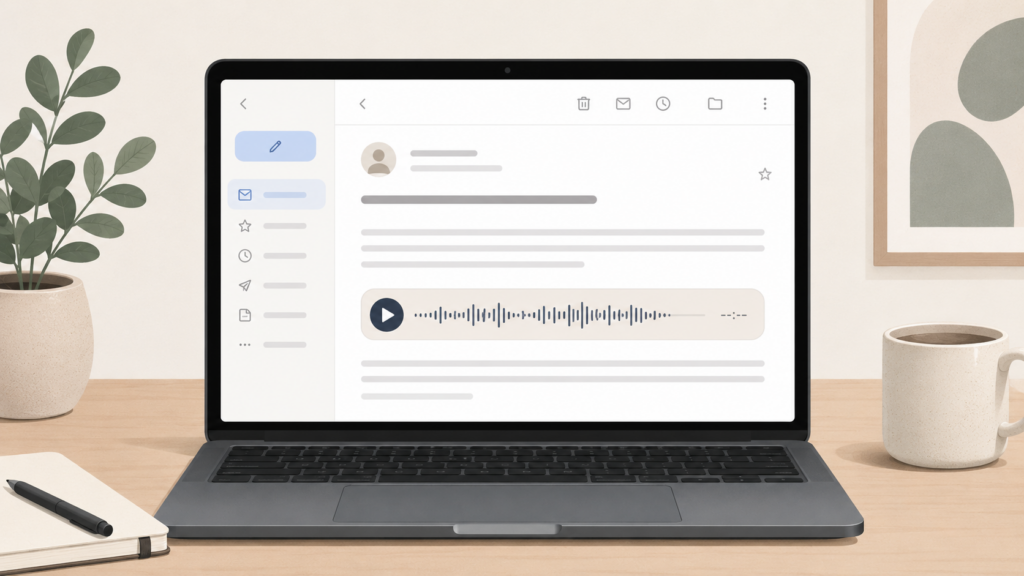
Newsletters compete for the same five minutes as everything else in someone’s inbox, and increasingly that five minutes happens on a commute, in a gym, or between meetings rather than at a desk. A growing number of writers are responding by adding a listen option: the same issue, narrated, sitting right at the top of the email next to the written version.
It’s a reasonable instinct. Whether it’s worth doing depends a lot on what kind of newsletter you write and how your readers actually consume it, so it’s worth working through before you add it.
What newsletter audio actually is
It’s simpler than a podcast and less work than it sounds. The text of your issue, the same words you already wrote, gets converted to a spoken audio clip and embedded as a small player at the top of the email or on the web version of the post. The reader can press play and listen instead of scrolling through the text, or do both: skim while it plays, or just listen on its own.
This is different from starting a podcast. A podcast is its own format, usually with its own script, intro, and production. Newsletter audio is just an audio version of the issue you were already going to write, with no extra content to produce. That’s the whole appeal: you get a second way to consume the same work for close to zero additional effort, once the setup is in place.
Where it actually helps
The case for newsletter audio is strongest when a few things are true.
Your readers are loyal but time-poor. If people open your newsletter but don’t always finish it, or you know from your own habits that long-form email gets read in fragments, audio gives them a way to actually finish an issue instead of archiving it half-read. A 1,500-word issue read aloud is usually six to eight minutes, easy to finish on a short walk where the written version would have been abandoned.
Your content works as prose, not just as data. Newsletters built around commentary, analysis, or narrative translate well to audio, because the value is in the argument and the voice, not in scanning numbers or links. A roundup that’s mostly a list of links read less naturally and gets less benefit from narration.
You publish on a real cadence. Audio is most useful when readers can build a habit around it, the way they would a podcast. A newsletter that goes out reliably every week is a better fit than one that’s sporadic, because the listen option needs repeat exposure to become part of someone’s routine.
You want a low-effort way to test the audio format. If you’re curious whether your audience would want a podcast eventually, newsletter audio is the cheapest way to find out. You’ll see whether people actually play it before you commit to a much bigger production effort.
Where it’s probably not worth it
It’s a weaker fit in a few situations.
If your newsletter is mostly links, charts, or short hits with little connecting prose, there isn’t much for a narrated version to add. If you publish irregularly, the audio habit never gets a chance to form. And if your audience has already told you, through replies or surveys, that they read at their desk and want it scannable, you’re solving a problem they don’t have.
It’s also worth being honest that audio doesn’t fix an engagement problem on its own. If people aren’t opening your newsletter at all, a listen option inside an email they never open won’t change that. It helps people finish what they’ve already started, not get them to start in the first place.
What it takes to set up
The mechanics are straightforward if the audio is generated automatically rather than recorded by hand.
The issue text needs to go through text-to-speech once, when the issue is finalized, producing a single audio file that gets reused for every reader. There’s no reason to generate it fresh per recipient. That file then needs a small player embedded in the email template and, ideally, the same player on the web version of the post if you have one, so readers can listen wherever they land.
The two things worth getting right from the start are voice consistency and file hosting. A voice that sounds the same issue to issue, ideally one chosen to match your tone, makes the audio feel like a feature rather than a generic add-on. And hosting the file off your own email or website infrastructure keeps load times unaffected, the same principle that matters for embedding audio on any page.
If you want this without building the pipeline yourself, that’s the specific case our newsletter audio setup is built for: one click turns a finished issue into a narrated, ready-to-embed clip.
A simple way to test it
Before committing, add audio to three or four issues and just watch what happens. Check whether the play button gets clicked at all, and if it does, whether people listen most of the way through or drop off early. If plays are low and consistent across several issues, your audience probably prefers reading. If plays are steady and completion is decent, you’ve found a real second channel worth keeping.
The short version
Newsletter audio is a low-cost way to let time-poor but loyal readers finish what they’d otherwise abandon. It works best for prose-heavy, regularly published newsletters, and it’s not a fix for low open rates or for content that’s mostly links and numbers. The setup is small once it’s automated. The honest test is just turning it on for a few issues and watching whether anyone presses play.
FAQ